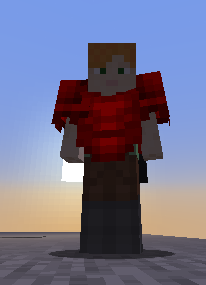
The current custom armors method doesn't support animated and emissive textures.
To create animated or/and emissive textures you have to use the old method shown here (uses shaders).
HD armor textures
I do not advice to use HD textures since this is a blocky game, but can create HD high resolution, but make sure they have the same proportions of the original vanilla armors layers textures.
Size must be a power of 2, for example: 64x32, 128x64, 256x128, 512x256.
Multi-version compatibility
This custom armors feature is only available on 1.21.2 and greater clients and servers.
There is a simple solution if your server uses ViaVersion or similar, but has some downsides and it should be considered as a legacy feature. I discourage using that feature.
You have to create both properties equipments and armors_rendering.
armors_rendering is the old method (uses a custom shader)
equipments is the new method (uses the vanilla equipment attribute)
You have to set material to LEATHER, for each piece, in this case LEATHER_CHESTPLATE.
You then have to set the equipment.legacy_armor_rendering_id and equipment.id to the previously created properties.
Extra: Custom 3D helmet
Currently on Minecraft 1.21.1 and lower only normal items (not helmets) support 3D models due to a Minecraft limitation I cannot fix.
In this case, to support legacy clients too you must use the hatbehaviour instead.
This setting allows you to append the new equipment setting and use the old shader method + the new method at the same time, so old clients will still see armors even if they are not on 1.21.2+.
Mode 2
This option will convert the armors completely to use the new equipment tag. Note that old clients won't see the armor anymore (older than 1.21.2).